
Specific goals beat vague ones
Across decades of studies, specific goals led to better performance than "do your best" goals. (Mento, Steel, and Karren, 1987 (opens the source in a new tab))
So every priority needs a finish line.

Built for people who finish what they start
A private workspace to finish the work that matters today. No noise. No lists.
You scheduled these for today
Finished when
Current step
Stay with this until it is finished or new evidence changes the decision.
N new ideaR review parked ideas
Priority Steps
Your steps
Break the finish line into a few small steps you can check off. Keep them short and in the order you will do them. Only the first open step shows on your focus screen.
Only the current step shows on your focus screen. The rest wait here.
Goal Context
A goal gives your priority meaning. It never competes for your attention: only one priority is active.
Accountability
Send a private, read-only link to one person you trust, such as a coach, manager, or friend. They see your priority, your finish line, and whether it is finished. They do not need an account.
Priority
Finished when
One sentence is enough. It will be safe.
Answer with your first honest instinct.
Saved for your next review. It is safe until then, so you do not need to remember it.
You do not need to think about this now.
Current priority
Finished when:
New idea
Required if you change your priority. One short sentence.
Does the new evidence justify changing your priority right now?
Once you choose, the decision closes.
Only mark it complete when this is actually true.
You finished what you committed to.
Priority completed?
Your parked ideas are safe. Tomorrow starts with one priority.
See it in 2 minutes
A two-minute introduction to AI Focus Tool: lock in one priority with a clear finish line, test every new idea with the 60-Second Appeal, and park the rest safely in your Idea Parking Lot.
Quick answer
AI Focus Tool is a private priority-protection workspace that helps you choose the one priority that matters most right now, define exactly how you will know it is finished, and protect it from new ideas. When an idea appears, you capture it in seconds and answer three evidence questions. The idea either parks safely or earns one honest re-evaluation.

What kind of focus app is this?
AI Focus Tool is a priority-protection web app, not a traditional to-do list, focus timer, or website blocker. It helps one person choose one active priority, define the finish line, and park new ideas until they pass an evidence check.
| Kind of tool | Best for | Its limit |
|---|---|---|
| Task manager | Remembering many tasks and due dates | Can become another overwhelming list, where every new idea sits next to your real work |
| Focus timer | Working for a set amount of time | Does not decide what deserves your focus, or when you are done |
| Website blocker | Blocking apps, websites, and notifications | Does not stop distractions that come from your own new ideas |
| AI Focus Tool | Protecting the one priority you chose until its finish line is true | Not meant to replace every productivity system. Use it alongside your list and calendar |
How it works
A to-do list asks what you want to do. AI Focus Tool asks a sharper question: you already decided what matters, so has anything actually changed?

Write the one priority that matters most right now. Only one priority can be active, so the choice is real.

Describe what will exist when you are done, such as "the proposal is proofread and sent." No priority starts without one.

When a thought pulls at you, tap New Idea Appeared and write one sentence. It is saved before you can lose it.
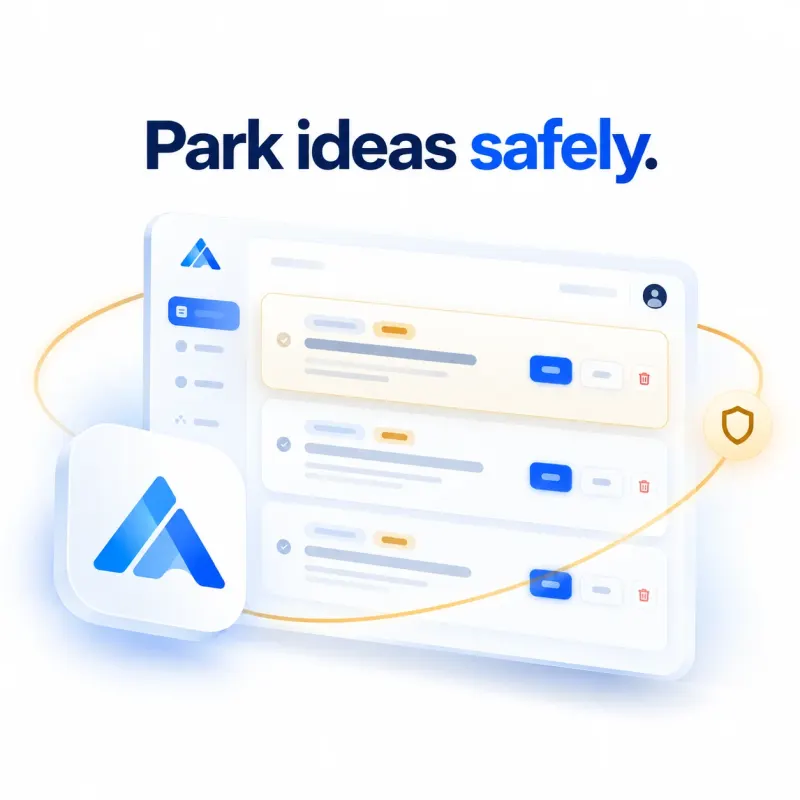
Three yes or no questions test the idea for evidence. Most ideas park safely. The rare real one gets one honest comparison.
Why it works
Specific goals improve results. Task switching carries real costs. Unfinished tasks stay on your mind. If-then plans help protect goals. AI Focus Tool brings those findings together into one simple workflow.
Across decades of studies, specific goals led to better performance than "do your best" goals. (Mento, Steel, and Karren, 1987 (opens the source in a new tab))
So every priority needs a finish line.
Each switch between tasks costs time, and the cost grows with complex work. (Rubinstein, Meyer, and Evans, 2001 (opens the source in a new tab))
So a new idea is captured, not acted on.
Leftover attention from unfinished work lowers performance on the next task, and a specific plan for an unfinished goal removes its pull. (Leroy, 2009 (opens the source in a new tab); Masicampo and Baumeister, 2011 (opens the source in a new tab))
So ideas are parked out of sight, saved for your next review.
A meta-analysis of 94 tests found if-then plans had a medium-to-large effect on reaching goals. (Gollwitzer and Sheeran, 2006 (opens the source in a new tab))
So you decide in advance what happens when an idea appears.
The complete method is research-informed, not proven as a whole, and the three appeal questions are our own design. See the research behind AI Focus Tool, with every source.
Try it on a real idea
Think of the idea that is tempting you right now. Answer three questions honestly. You will see exactly what AI Focus Tool would do with it.

Focus app vs to-do list
To-do lists are built to collect everything, so every new idea lands next to the work you already chose. AI Focus Tool keeps new ideas out of sight until they prove they matter.
| Question | Typical to-do list app | Typical focus timer | AI Focus Tool |
|---|---|---|---|
| What it asks you | What do you want to do? | How long will you work? | You already decided what matters. Has anything actually changed? |
| How many priorities | As many as you add | Not defined | Exactly one, with a finish line |
| Where new ideas go | Into the same list you work from | Nowhere, so you remember them or lose them | Into a separate Idea Parking Lot you do not see while focusing |
| When you stop | When the list is empty | When the timer rings | When your finish line is true |
| Switching decisions | Anytime, with no test | Anytime, with no test | Only after three evidence questions, decided once |
| Setup before you start | Projects, tags, and due dates | Timer settings | Two sentences |
Idea Parking Lot
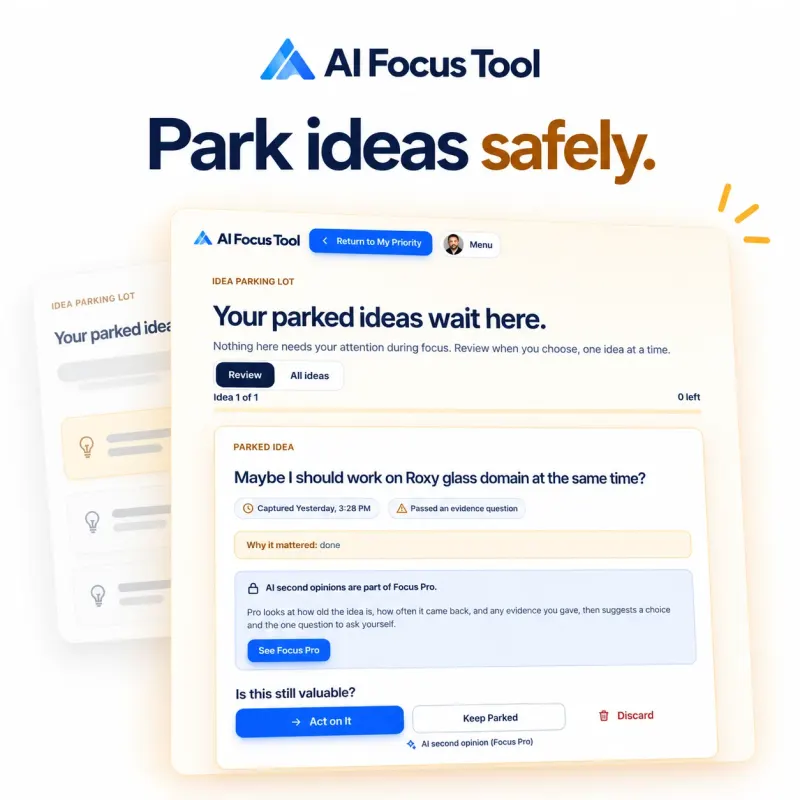
Parked ideas wait in a calm, separate place. They never appear on your focus screen, and there is no badge counting them, because a number would pull your attention away.
Voice input
Tap the microphone in your priority, finish line, or new idea, and speak. Voice input is part of every workspace, in any browser that supports it.

Who it is for
AI Focus Tool is for people whose best ideas keep interrupting their most important work.
Every new idea feels like a growth opportunity, so the important work keeps getting pushed to tomorrow.
Ideas get captured without derailing the launch, the proposal, or the client work that pays today.
Client requests, side projects, and admin tasks all compete for the same few focused hours.
You finish the deliverable you promised and decide on new requests with evidence, not urgency.
New content ideas arrive faster than you can publish, and half finished drafts pile up.
One piece ships at a time, and the best ideas are waiting for you at review.
Messages and meetings create a constant stream of new tasks that feel urgent.
You protect the one priority your week depends on and handle the rest at a planned review.
Pricing
Open your Member Workspace with your email. Focus Pro is $49 per year, about $4.08 a month, and adds AI second opinions, the Finish Line Coach, and your weekly patterns.
$0 with your email
No credit card. Your workspace stays private to you.
A clean, private workspace that saves your work across devices and keeps new ideas out of sight.
History shows the last 14 days. Parked ideas never expire.
$49 per year
About $4.08 a month, billed yearly.
An intelligent focus partner that checks your finish line, gives an honest second opinion on new ideas, and shows your weekly patterns.
Billed once per year. Cancel anytime and keep Pro until the paid year ends.
See what changes when you upgrade · How each Focus Add-on protects one priority
Questions
AI Focus Tool is a private priority-protection workspace that helps you choose the one priority that matters most right now, define exactly how you will know it is finished, and protect it from new ideas. When an idea appears, you capture it in seconds and answer three evidence questions. The idea either parks safely or earns one honest re-evaluation.
The Member Workspace costs $0. You open it with your email address, and it includes the complete focus loop: one priority with a finish line, the 60-Second Appeal, a private Idea Parking Lot, and voice input, synced across your devices. Focus Pro costs $49 per year and adds the AI Second Opinion, the Finish Line Coach, Weekly Focus Intelligence, unlimited history, and every Focus Add-on.
Your email opens a private workspace, so your priority, finish line, and parked ideas are saved and never lost, on every device you use. You write your priority first, then lock it in with your email, and your workspace opens with it waiting. There is no password and no credit card.
The 60-Second Appeal is three yes or no questions you answer when a new idea appears: Does this protect revenue or prevent a meaningful loss today? Is your current priority actually blocked? Will a real opportunity or deadline disappear if you wait until review? If every answer is no, the idea is parked. If any answer is yes, you re-evaluate once.
A finish line is the specific outcome that proves your priority is complete, such as "the proposal is proofread, exported as a PDF, and sent to the client." It is required because a vague priority invites endless work and easy switching. A clear finish line tells you exactly when you can stop and makes every interruption easier to judge.
New ideas go to your Idea Parking Lot, a separate place that never appears on your focus screen. There is no badge or counter, so parked ideas do not pull at your attention. You review them later, one card at a time, and choose Act on It, Keep Parked, or Discard.
One active priority removes the constant question of what to work on next. When a new idea appears, you compare it against one clearly defined commitment instead of a long list. Research on goal shielding found that committing to one focal goal makes competing goals less active in your mind and helps you reach the focal goal (Shah, Friedman, and Kruglanski, 2002). Everything else waits or brings enough evidence to earn the right to replace it.
Yes, it is research-informed. It combines published findings on specific goals, goal shielding, task switching, attention residue, plan making for unfinished goals, if-then plans, and interruption recovery into one workflow. The complete method, including the three appeal questions, has not been tested as a whole, so we do not call it scientifically proven. The research page at aifocustool.com/research.php lists every source with a link.
AI is used in small, specific places, as part of Focus Pro. The Finish Line Coach checks whether your finish line is clear and writes a sharper one when it is vague. The AI Second Opinion weighs a new idea during re-evaluation and review, and Weekly Focus Intelligence writes a short reading of your focus patterns. AI never decides for you, and the core loop works without it, with a built-in finish line check on every plan.
Yes, where speaking saves the most time: your priority, your finish line, a new idea, and the evidence when something changes. Tap the microphone, speak, then tap Stop, and your words appear in the field. In Chrome, Edge, and Safari the words appear as you speak. If the browser's own speech recognition is unavailable, or in browsers such as Firefox, AI Focus Tool turns a short recording into text instead. Recordings are never stored.
Yes. Your workspace is private to you. Your priority and ideas are stored securely on our servers so they can sync across your devices, and nobody else can see them unless you share a link yourself. We never sell your data, we do not use third party advertising trackers, and you can export or permanently delete your data at any time from your account page.
Yes. AI Focus Tool is a web app that works in any modern browser on phones, tablets, and computers. You can also add it to your home screen so it opens like an app, and it keeps working when your connection drops.
A to-do list collects everything and asks what you want to do, so every new idea lands next to your real work. AI Focus Tool keeps one priority with a finish line, sends new ideas to a separate Idea Parking Lot, and only lets an idea interrupt you after it passes three evidence questions.
Write it down, lock it in, and your private workspace opens with it waiting.
Lock In My Priority
